
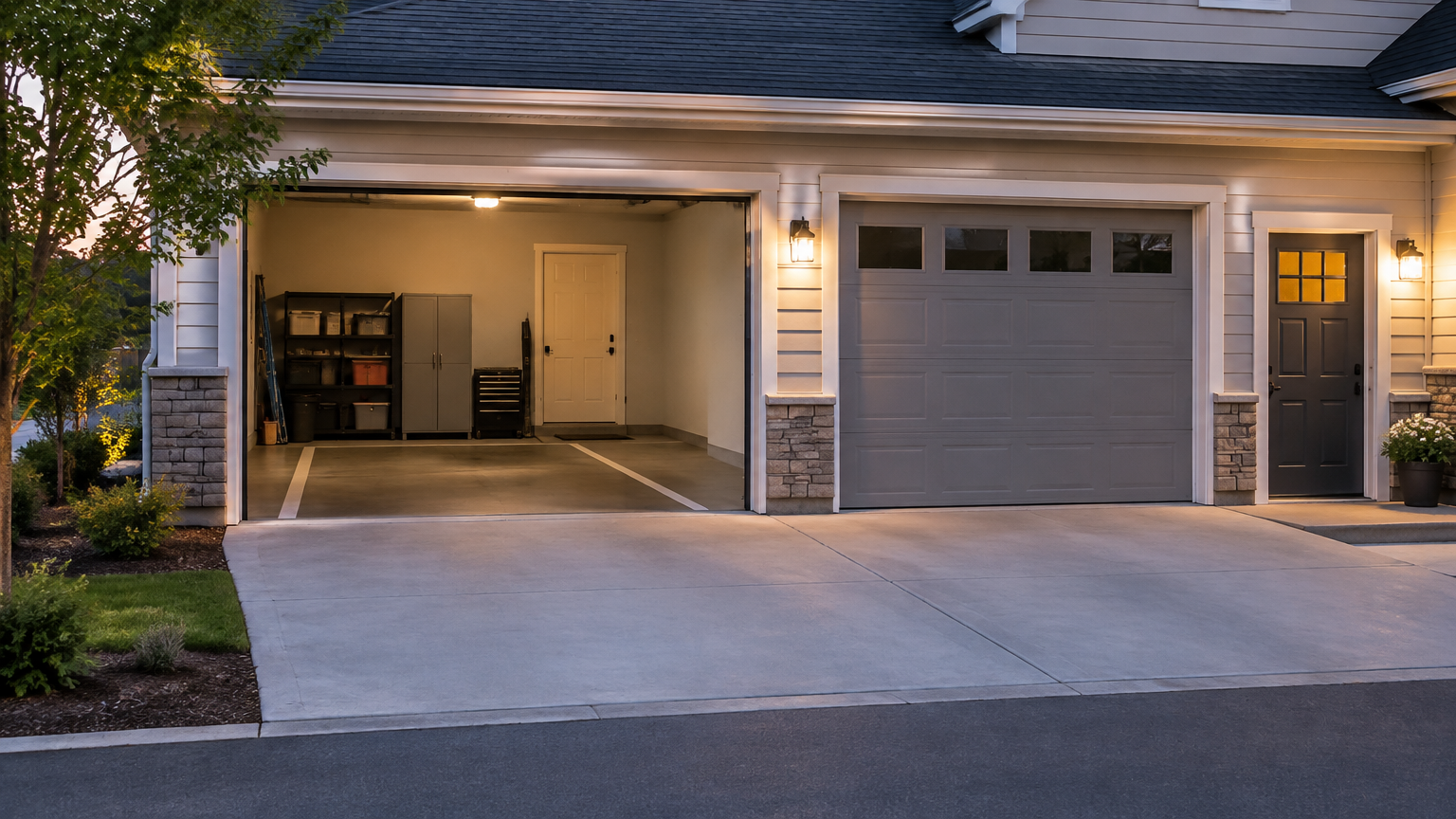
What should complete garage parking access instructions include?
Complete garage parking access instructions describe the renter’s entire trip, not just the property address or a gate code. Include the vehicle entrance, booking access window, credential, gate procedure, exact space location, pedestrian route, exit steps, and a safe way to get help if access fails.
A renter approaching an unfamiliar garage may be watching traffic, checking the address, and trying to identify the right driveway at the same time. Short, specific directions reduce guesswork. Write for someone who has never seen the property and may arrive after dark or with a passenger waiting.
A useful instruction set answers these questions:
- Which driveway, lane, curb cut, or garage door should the renter use?
- Where should the vehicle stop?
- Is the access tool a remote, keypad, fob, key, QR code, ticket, or intercom?
- What should the renter see or hear when access is accepted?
- Where is the assigned space after entering?
- How does the renter get from the space to the sidewalk or building?
- What happens when the booking ends?
- Who should the renter contact if the gate, door, or credential does not work?
Keep private security information out of public listing details. Share only what a renter needs for the specific booking, and avoid publishing alarm codes or access details that apply beyond the reservation.
How should you explain the vehicle entrance and gate procedure?
Arrival directions work best as a sequence the driver can follow without stopping to interpret a paragraph. Identify the correct driveway, explain where to position the car, name the access tool, describe the confirmation signal, and separate entry instructions from exit instructions.
Use these five practical steps:
- Identify the approach. Name the street side, driveway, lane, or curb cut the renter should use. If the property has more than one garage entrance, say which one applies. A nearby landmark can help, but avoid relying on temporary objects that may move.
- Explain where to stop. Tell the renter to pull up to the keypad, reader, call box, or garage door. Mention whether the vehicle should remain centered in a lane or stop at a marked line. If a sensor needs the car in a particular position, describe that position plainly.
- Describe the access action. State whether the renter should press a remote button, enter a code, tap a fob, scan a credential, collect a ticket, or use an intercom. Don't make the renter guess which button or device applies.
- Name the confirmation. Explain what shows that access worked, such as a gate lifting, a green light, a displayed message, or a click from the lock. Tell the renter to wait for the door or gate to open fully before proceeding.
- Give the next driving direction. Once inside, say where to turn and how to reach the assigned area. If the entrance and exit lanes differ, label them separately so the renter doesn't accidentally follow departure directions on arrival.
Official garage instructions often tell drivers to approach slowly, stop at the control point, present a credential, and wait for an approval signal. That sequence is useful writing guidance, but your instructions must match the actual equipment at your property. A remote, keypad, or gate may behave differently from one garage to another.
Avoid vague wording such as “enter through the garage” or “use the gate on the side.” Say “Use the driveway beside the brick wall, not the alley entrance. Stop beside the keypad and enter the four-digit code. Wait for the green light, then turn right and follow the lower-level wall to Space B.”
How do you describe a remote, keypad, fob, code, or other access tool?
Explain the access credential as if the renter has never used that type of system. State what they receive, where to use it, the action required, the expected response, and whether it is needed again when leaving. The same instructions should not be used for every garage because access systems vary.
For a remote, identify the button and where to point it, if direction matters. Tell the renter whether the remote opens the vehicle gate, the garage door, or both. Explain whether they should keep it in the vehicle, carry it while walking, or return it to a specific location after the booking.
A keypad instruction should include the exact entry sequence without exposing a code in a public description if the listing is visible before booking. You might write, “Use the temporary code sent with your booking. Enter each number slowly, then press the green or enter button. Wait for the confirmation tone before pulling forward.”
For a fob, key, QR code, or barcode, describe the reader’s location and the action that activates it. “Hold the fob against the black reader beside the gate” is more useful than “tap your key.” If a ticket prints at entry, tell renters to keep it and explain where it is used later.
The instruction should also cover credential handling. Tell renters whether the item is temporary, whether it must remain at the property, and what to do if it is lost. Don't promise a replacement method unless you actually have one. If a remote is shared, check your lease, HOA, condominium, and property-management rules before offering it to renters.
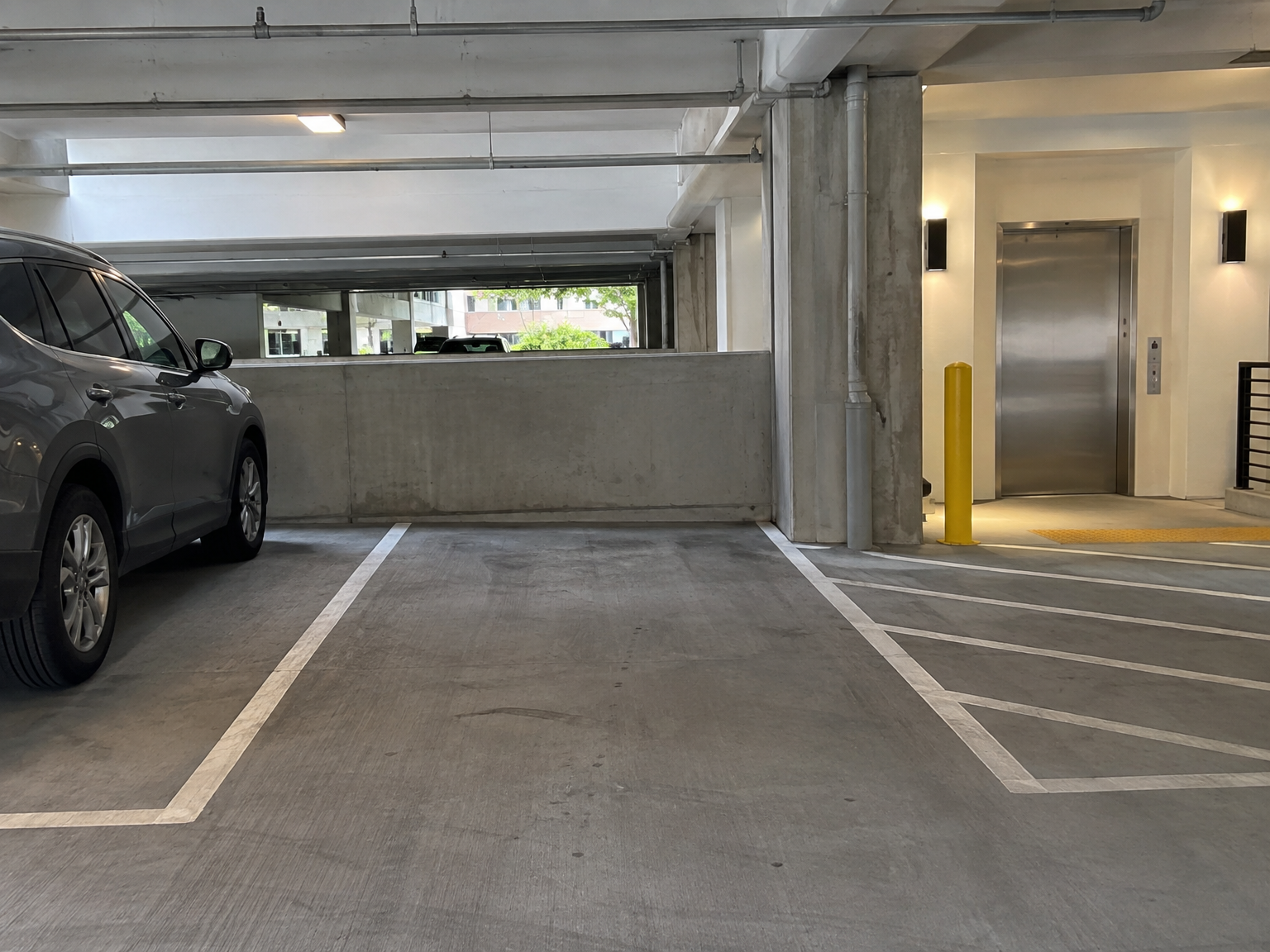
How should you describe the parking space and pedestrian route?
Vehicle directions and walking directions should be separate. First guide the renter from the entrance to the assigned space. Then explain how to leave the garage on foot, including the sidewalk, pedestrian door, elevator, stairs, or building entrance they should use.
Describe the space using details a first-time visitor can see:
- garage level or floor;
- row, bay, side, or space number;
- location relative to a ramp, column, wall, or corner;
- nearby landmarks that are permanent and easy to recognize;
- clearance limits that could affect a tall or wide vehicle;
- whether the renter should back in, pull through, or use a particular direction.
Don't rely on color alone if paint fades or lighting changes. A combination such as “Level 1, the third space on the left after the ramp, beside the concrete column” gives the renter more than one way to confirm the location.
The walking route deserves equal attention. Explain whether the renter should use a marked pedestrian door, a sidewalk along the driveway, an elevator lobby, or a stairwell. Mention doors that require the same fob or remote. If the route changes after hours, include that detail rather than assuming the main entrance remains open.
If you describe a space or route as accessible, check the actual path. ADA guidance connects accessible parking with an accessible route to an entrance, which may include walking surfaces, doors, ramps, elevators, or lifts. A wide parking space alone doesn't establish that the whole route is accessible. Point renters to the ADA guidance on accessible parking when you need to review the general concept.
Write about limitations honestly. For example, say “The space is near the elevator, but the pedestrian door has a raised threshold,” or “The garage entrance has a height restriction that may not suit tall vans.” Specific limits are more useful than a broad accessibility label that a renter may interpret differently.
What should renters know about timing and leaving the garage?
Timing and departure details prevent problems that often occur after a smooth arrival. Tell renters when they may enter, what happens at the end of the booking, and how to leave the property. Entry and exit may use different equipment, so write both procedures separately.
Make sure the instructions cover these three points:
- Allowed entry time: State when the booking begins and whether early entry is unavailable, restricted, or subject to another rule. If access only works during certain hours, say so clearly. Include any late-arrival detail that affects the renter’s ability to enter.
- End-of-booking expectation: Tell renters when the vehicle must leave and whether the remote, fob, ticket, or key must be returned. If a monthly arrangement follows different timing, explain that in the listing or booking instructions rather than combining it with short-term directions.
- Exit procedure: Explain how to open the gate or door from inside. The renter may need the same remote or code, a ticket, a sensor, a payment step, a keypad, or a pedestrian exit before reaching the vehicle. Never assume entry instructions automatically explain departure.
Some facilities use an entry ticket and a separate payment or validation process before exit. Others use a credential for both directions. A renter should know what to keep, what not to leave in the vehicle, and where to go if the exit reader rejects the credential.
Also explain whether the gate closes automatically and whether the renter should wait for it to close before driving away. Don't instruct someone to block a lane, hold a gate open, or bypass a locked door. The directions should lead to a normal exit, not an improvised workaround.
What should renters do if garage access fails?
A failed-access plan gives the renter a safe next move without encouraging them to force equipment or park somewhere unauthorized. Write the backup instructions for the actual property, including the right contact person, intercom, assistance button, or alternate credential.
A simple four-part plan can include:
- Retry safely once. Tell the renter to check that they are at the correct entrance, reposition the vehicle if needed, and try the credential one more time. Don't ask them to repeatedly enter a code or press a remote while traffic is moving around them.
- Contact the right help point. Provide a host contact method or identify the on-site intercom, call box, or assistance button. Say what information to include, such as the booking name, vehicle description, and entrance location.
- Explain what not to do. Tell renters not to force a gate, follow another vehicle through a secured entrance, climb over a barrier, or use a credential that was not provided for their booking.
- State where not to wait or park. Make clear that the driveway, fire lane, neighboring space, sidewalk, or another resident’s assigned space is not a backup parking area. If the entrance is unsafe, the renter should move to a lawful, safe waiting place when possible.
Test the contact method yourself. A phone number that goes to an unattended device or an intercom that no longer works creates a second access problem. If you cannot provide immediate help, say what the renter should do and whether they should contact the property manager or on-site assistance point.
For safety context, workplace exit routes are expected to remain usable and unobstructed under OSHA rules, but those rules are not a universal code for every private residential garage. Still, don't write directions that leave renters trapped behind a locked door or dependent on a missing key. Review OSHA emergency preparedness guidance for workplace-specific context.
How can a Parking Mate host make access instructions easier to follow?
A Parking Mate listing becomes more useful when access directions sit alongside accurate photos, availability, space details, and host-set rules. Write for a first-time visitor, test the route yourself, and keep the final instructions short enough to read while parked safely before entering.
Start with the arrival sequence, then add the space location, walking route, exit procedure, and failed-access plan. Numbered steps help when the renter must act in order. Photos can show the correct driveway or space, but don't publish private security information or rely on a photo to explain a process that may change.
Read the instructions from the renter’s point of view. Could someone tell which driveway to use from the street? Would they know where to stop? Is the remote’s purpose clear? Can they find the space without calling? Do they know how to leave after the booking? If any answer is no, add a concrete landmark or action.
Hosts control their listing details, availability, price, and access rules on Parking Mate. If you're ready to list an unused garage space, include the access process as part of the listing rather than treating it as an afterthought. You can also review how to prepare a garage parking space for renters before publishing.
Finally, check practical property rules. Lease terms, HOA or condominium policies, property-management instructions, and local building or fire rules may affect whether you can share a remote, key, code, or garage space. Parking Mate does not supply or verify the physical gate, keypad, remote, pedestrian door, or other access equipment, so the host's directions should match what is actually present.
Related reading
Frequently asked questions
What should garage parking access instructions include?
Include the vehicle entrance, arrival timing, access credential, gate or garage-door steps, exact parking-space location, pedestrian route, exit procedure, and a contact or backup plan if access fails.
How should I explain a parking gate remote?
Tell renters where to stop, which button to press, what response to expect, whether the remote works for entry and exit, and how to return or handle it after the booking.
Should vehicle and pedestrian directions be separate?
Yes. Explain how to drive to the space separately from how to reach a sidewalk, building entrance, elevator, stairs, or pedestrian door after parking.
What should renters do if the garage gate will not open?
Give renters a safe retry, a specific contact or assistance point, clear instructions about what not to do, and a rule against parking in an unassigned area while waiting.